Boy Escape: Puzzle Game
Publisher Description


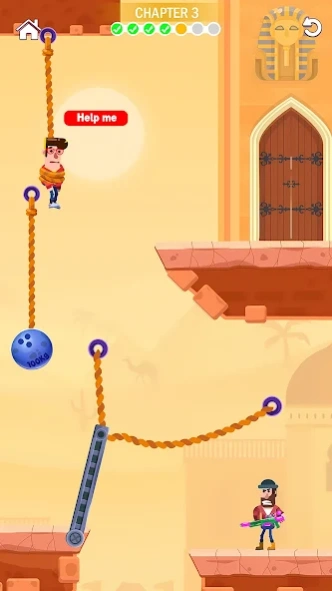
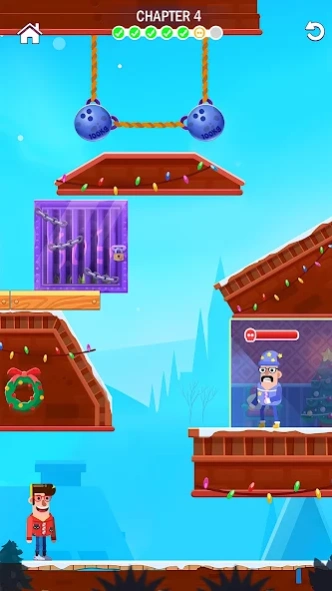
Solve challenging puzzles to escape the boy from tricky situations!
Boy Escape: Puzzle Game - an adventurous game with a twist! Escape the boy from tricky situations using your wits and logic. Join the rescue mission now!
Embark on a journey filled with challenging puzzles and thrilling escape missions. Explore intricate levels, experience realistic rope physics, and solve engaging puzzles. Every cut counts as you help the boy to escape.
Key Features:
- Exciting gameplay with tricky puzzles.
- Multiple levels of rope puzzles to challenge your skills.
- Logic-based decisions to cut ropes and untie the boy.
- Test your rescue skills in the fun game and rescue the boy.
Cut, untie, and rescue your way to victory in this thrilling Boy Escape: Puzzle Game!
About Boy Escape: Puzzle Game
The company that develops Boy Escape: Puzzle Game is Brames. The latest version released by its developer is 1.0 .
To install Boy Escape: Puzzle Game on your Android device, just click the green Continue To App button above to start the installation process. The app is listed on our website since 2024-09-09 and was downloaded 0 times. We have already checked if the download link is safe, however for your own protection we recommend that you scan the downloaded app with your antivirus. Your antivirus may detect the Boy Escape: Puzzle Game as malware as malware if the download link to com.save.the.boy.rescue.rope.cut.puzzle.game is broken.
How to install Boy Escape: Puzzle Game on your Android device:
- Click on the Continue To App button on our website. This will redirect you to Google Play.
- Once the Boy Escape: Puzzle Game is shown in the Google Play listing of your Android device, you can start its download and installation. Tap on the Install button located below the search bar and to the right of the app icon.
- A pop-up window with the permissions required by Boy Escape: Puzzle Game will be shown. Click on Accept to continue the process.
- Boy Escape: Puzzle Game will be downloaded onto your device, displaying a progress. Once the download completes, the installation will start and you'll get a notification after the installation is finished.
